Ultimate Local LLM Box (Friday Edition): 64GB of VRAM for Half the Price of One Scalped RTX 5090
 x/nxpc ·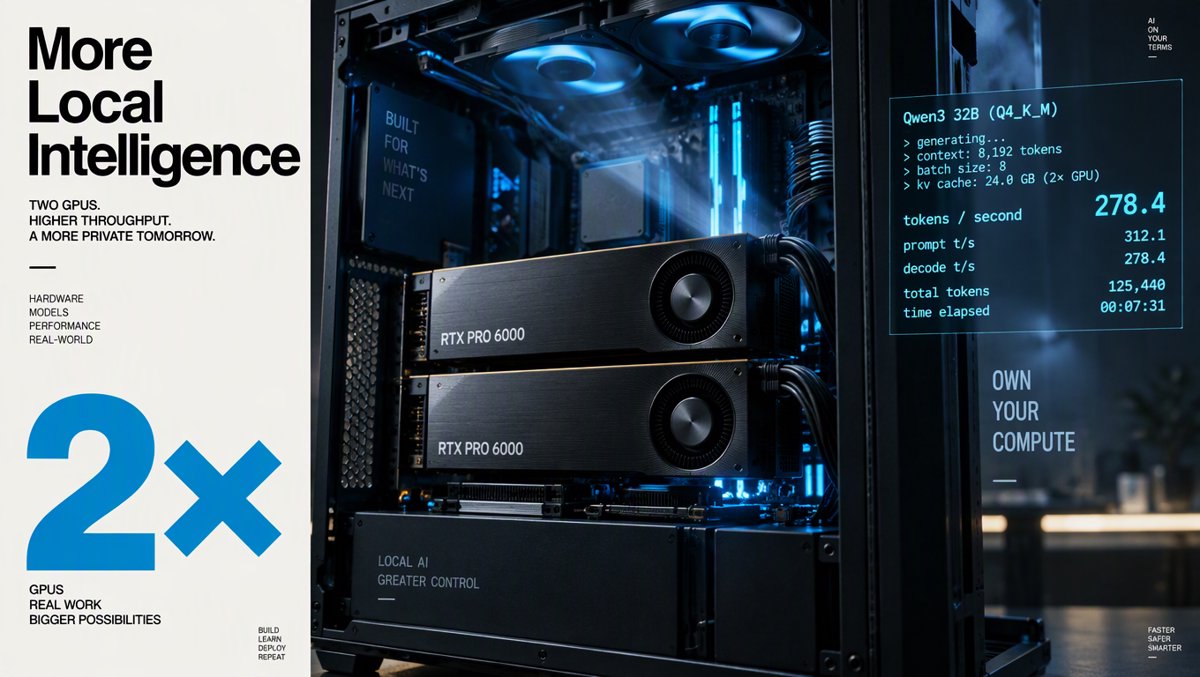
Ultimate Local LLM Box (Friday Edition): 64GB of VRAM for Half the Price of One Scalped RTX 5090
Picture this: it's Friday night, you've got a coffee (or something stronger), and you finally decide to build that local AI rig you've been dreaming about. You open Amazon, type "RTX 5090," and — what the actual silicon?! — every single card is sitting between $7,999.99 and $11,565 USD, with nearly every listing showing "Only 1 left in stock." Meanwhile, a quiet little professional card called the AMD Radeon AI PRO R9700 with 32GB of VRAM is sitting there at $1,899.99 USD, in stock, with 500+ bought in the past month.
Two of those R9700s give you 64GB of VRAM for about $3,800. That's less than half of ONE inflated RTX 5090 — and it's exactly what today's Ultimate Local LLM Box is built around. But before you start slapping cards in a case, there's a myth we need to torch: adding a second GPU does NOT double your tokens per second by default. llama.cpp says no. Let's dig into why — and how to actually do multi-GPU right.
The Hardware: Why 64GB of VRAM Changes Everything
Local LLM performance boils down to one brutal equation: if the model fits in VRAM, it's fast. If it spills into system RAM, it's dead. The numbers are savage:
- An RTX 5090 running Llama 3.3 70B fully in VRAM hits 45+ tokens per second — the same model offloaded to RAM crawls along at 1–2 tokens per second. That's a 20–45x cliff, not a slope (Quantize Lab benchmarks via CodeX/Medium).
- The RTX 5090's 32GB of GDDR7 at 1,792 GB/s is the fastest consumer memory pool you can buy — but it still can't fit a 70B model at Q4 quantization (~44GB) in a single card (LLMHardware.io).
- AMD's Strix Halo 128GB mini PCs (256 GB/s bandwidth) can hold big models but only push a 43GB model to ~6 tok/s. Apple's M5 Ultra with 1.2TB/s manages ~28 tok/s on the same model (Vucense comparison).
The takeaway every r/LocalLLaMA regular knows: bandwidth determines speed, capacity determines what you can run at all. The R9700 play sacrifices some bandwidth (GDDR6 vs GDDR7) to double your capacity per dollar. It's the difference between "runs" and "actually usable."
Single-GPU Tokens-Per-Second Reality Check (community benchmarks)
| Setup | VRAM | Bandwidth | 8B Model | 14B Model | 32B Dense | 70B Q4 |
|---|---|---|---|---|---|---|
| RTX 5090 | 32GB GDDR7 | 1,792 GB/s | Very fast | Very fast | ~50 tok/s (Qwen Q5) | 45+ tok/s (tight fit) |
| RTX 4090 | 24GB GDDR6X | 1,008 GB/s | Fast | Fast | Doesn't fit | Doesn't fit |
| Radeon AI PRO R9700 | 32GB GDDR6 | ~640 GB/s | ~94 tok/s | ~52 tok/s | ~25 tok/s | Doesn't fit (one card) |
| 2× Radeon AI PRO R9700 | 64GB | Per-card | ~94 tok/s | ~52 tok/s | ~25 tok/s | Fits — fully in VRAM |
| Strix Halo 128GB (mini PC) | 128GB shared | 256 GB/s | OK | Slow | Slow | ~6 tok/s (43GB model) |
| M5 Ultra (Mac) | up to 256GB | 1.2 TB/s | Fast | Fast | ~28 tok/s (43GB model) | Usable |
(R9700 figures are community-reported summaries; your numbers will vary with quant, context length, and prompt size. Prompt processing on the R9700 notably trails the RTX 5090 — more on that in the verdict.)
The Second GPU Myth: llama.cpp's Layer Split = Room, Not Speed
Here's the trap that eats thousands of dollars of GPUs. By default, llama.cpp's multi-GPU mode uses --split-mode layer — it stacks half the model's layers on GPU 1 and half on GPU 2. Sounds great, right?
Wrong. That's a pipeline, not parallelism. During token generation, GPU 2 sits idle while GPU 1 crunches, then they swap. One card waits for the other on every single token. You just bought 2x the VRAM capacity and roughly 1x the speed. The Code Craft Studio video from October 3 put it bluntly in the title: "Does a Second GPU Double Your Local LLM Speed? llama.cpp Says No." The correction in its description is even more important — the "room, not speed" problem is specific to the default layer split.
The fix is --split-mode tensor (tensor parallelism): both GPUs work on every layer simultaneously. The official llama.cpp multi-GPU docs say tensor mode can deliver up to ~1.8x compute performance on homogeneous NVIDIA pairs — and community tests on 4× RTX 4090s over plain PCIe 4.0 x16 with no NVLink bridge still measured a 2.27x decode gain in tensor mode (CanItRun's multi-GPU guide). One more critical detail from the llama.cpp multi-gpu docs (https://github.com/ggml-org/llama.cpp/blob/master/docs/multi-gpu.md): compile with NCCL support or you'll get the dreaded "NCCL is unavailable, multi GPU performance will be suboptimal" warning — and slower results.
Multi-GPU Cheat Sheet
| Mode | Flag | What you get | Best for |
|---|---|---|---|
| Layer split (default) | --split-mode layer |
~1x speed, combined VRAM pool | Fitting a model that one card can't hold |
| Tensor parallel | --split-mode tensor |
Up to ~1.8x on matched NVIDIA pairs; ~2.27x measured on 4× 4090 | Throughput when cards match |
| No NCCL compiled | (build flag missing) | "Suboptimal" — literally slower than it should be | Nobody. Rebuild. |
| AMD RCCL | -DGGML_HIP_RCCL=ON |
ROCm's collective comms for tensor mode | Our dual-R9700 box |
Ollama & llama.cpp: Free Speed You're Probably Leaving on the Table
Alex Ziskind — the guy who's forgotten more about local AI than most of us will ever learn — dropped a video in January titled "Your local LLM is 10x slower than it should be." The punchline: a serving-stack change took his setup from ~120 tok/s to 1200+ tok/s without a new GPU (
). That's the difference between a misconfigured stack and a tuned one. Here's the free-speed checklist:
- Enable Flash Attention first. In Ollama, KV cache quantization is controlled by
OLLAMA_KV_CACHE_TYPE— valuesf16,q8_0, orq4_0— and it only works when Flash Attention is enabled. This is straight from Ollama's docs, and it's the #1 thing people skip. - Quantize the KV cache, not just the weights. Dropping KV cache from f16 to q8_0 can roughly halve context memory. On a 70B model, a 128K context can double the working-memory requirement (Bizon's inference guide) — so cache quantization is the difference between "fits" and "doesn't."
- Build llama.cpp with NCCL (NVIDIA) or RCCL (AMD/ROCm) before benchmarking multi-GPU. On the ROCm side, the llama.cpp docs specify compiling with
-DGGML_HIP_RCCL=ONto get RCCL support for tensor mode. - Benchmark prompt processing and generation separately. Community R9700 testing shows AMD's biggest gap vs the RTX 5090 is in prefill (ingesting your prompt), not decode. If your workload is long-document RAG, NVIDIA still wins the prefill race.
- Keep the model fully in VRAM. ServeTheHome proved even a monster EPYC server chokes on offloaded inference — their DeepSeek-R1 671B CPU-only run (https://www.youtube.com/watch?v=av1eTzsu0wA) is a fascinating watch and a slow one. RAM is for room, VRAM is for speed.
ROCm vs CUDA in 2026: The Honest State of Play
CUDA is still the path of least resistance: llama.cpp's CUDA backend with NCCL is the most battle-tested multi-GPU stack, and NVIDIA's own docs call out matched RTX 5090 pairs as the sweet spot for tensor parallel. But ROCm has quietly become legit for inference. The R9700 is RDNA 4 with native ROCm support, runs llama.cpp via the HIP backend (the ggml CUDA code translated for AMD), and the dual-R9700 64GB llama.cpp build by Donato Capitella (
) proved the two-card config works for 70B-class models. You'll do more tinkering on AMD — pin versions, mind the build flags — but for a box whose job is "hold the biggest model that fits and decode tokens all day," it's a genuine option now, not a science project.
And if you want to see where this road ends: ServeTheHome built an 8× NVIDIA GB10 cluster with 1TB of pooled memory and 160 Arm cores (
). Inspiring? Absolutely. Bank-account-friendly? Not today.
Today's Build: The $4,300 (USD) 64GB Dual-R9700 LLM Box
The core of this build is boring on purpose — the GPUs are the stars, everything else just needs to not bottleneck them:
| Component | Pick | Why |
|---|---|---|
| GPU ×2 | AMD Radeon AI PRO R9700 32GB | 64GB combined VRAM; blower coolers stack cleanly |
| CPU | Ryzen 9-class, 12+ cores | Prompt processing on CPU during cold start; plenty of PCIe lanes |
| RAM | 96–128GB DDR5 | Model loading buffer + CPU fallback headroom |
| PSU | 1200W+ Gold/Platinum | 2× 300W-class cards + system = headroom you'll thank yourself for |
| Case | High-airflow full tower | Two blower cards exhausting hot air need somewhere for it to go |
| Storage | 2TB+ Gen4 NVMe | 70B GGUF files are 40GB+ each; you'll hoard models, trust me |
| Software | llama.cpp (HIP/RCCL build) or Ollama + Flash Attention + q8_0 KV cache | The free-speed stack from above |
💰 Price Check — Dual Market (live Amazon, Oct 23, 2026)
| Product | 🇺🇸 Amazon US (USD) | 🇨🇦 Amazon CA (CAD) | Stock Notes |
|---|---|---|---|
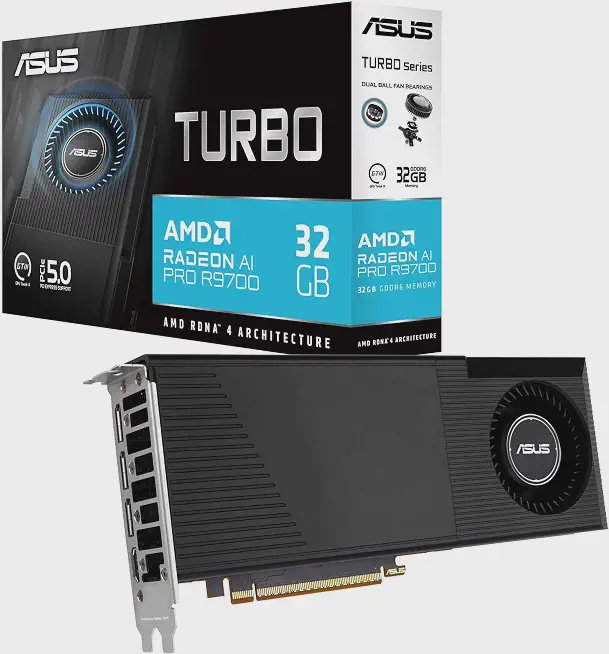
| ASUS Turbo Radeon AI PRO R9700 32GB | $1,899.99 | $2,839.99 | 5 offers US; 5 left CA |
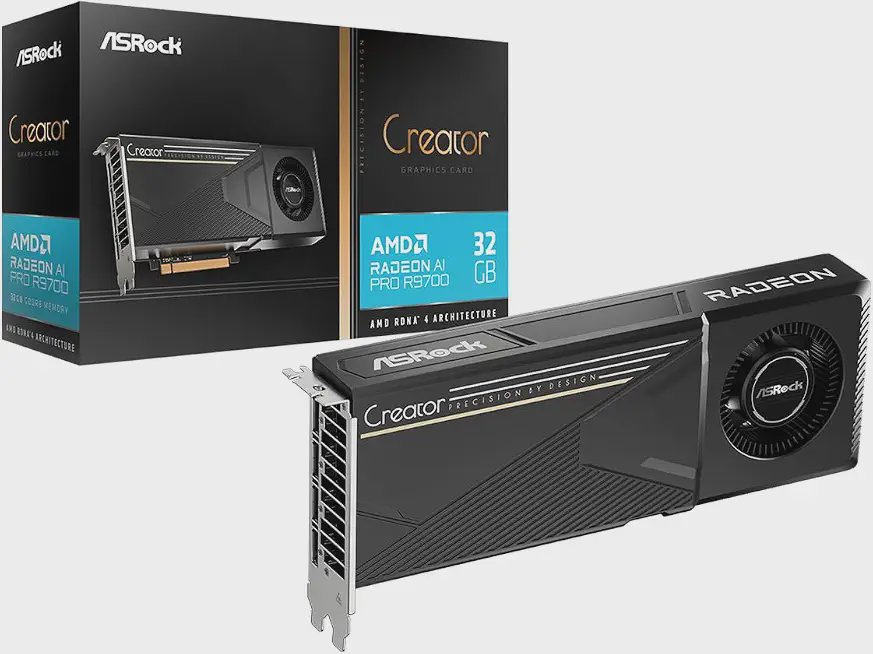
| ASRock R9700 Creator 32GB (blower) | $2,199.99 | $2,838.56 | 500+ bought past month US; 4 offers CA |
| XFX Radeon AI Pro R9700 32GB | — | $2,899.99 | In stock |
| Sapphire Radeon AI PRO R9700 32GB | — | $2,899.99 | 5 offers |
| GIGABYTE R9700 AI TOP 32G | $2,099.00 | $3,059.99 | 1 left US |
| For reference: ASUS TUF RTX 5080 16GB | $2,389.95 | $3,399.99 (ROG Astral) | 1 left US |
| For reference: CyberGeek RTX 5090 (cheapest US listing) | $7,999.99 | — | 1 left |
| For reference: Gigabyte AORUS RTX 5090 Master | — | $10,100.90 | In stock |
| For reference: PNY RTX 5090 | — | $20,332.32 | Yes, you read that right |
| Budget mention: ASUS Prime RTX 5060 Ti 16GB | — | $1,249.99 | The starter-card pick |
| Budget mention: Intel Arc Pro B60 24GB (blower) | — | $1,421.92 | The wildcard 24GB option |
The build math, eh? (Steve, this one's for you): two ASUS Turbo R9700s run $3,799.98 USD / $5,679.98 CAD. Two ASRock Creators are $4,399.98 USD / $5,677.12 CAD. The cheapest RTX 5090 on Amazon US today — at $7,999.99 — gets you one 32GB card. You're paying scalper premium for half the VRAM of the AMD play, on a card that's out of stock everywhere.
The Verdict: Who Should Build This?
Build the dual-R9700 box if: you want to run 70B-class models fully in VRAM, you value capacity per dollar over raw prefill speed, you're comfortable with a ROCm build flag or two, and your budget says "under $5K USD for GPUs." This is the homelab tinkerer's dream — the same spirit as Techno Tim's "Are Local Models Finally Good Enough?" exploration (
) and his latest self-configuring-AI experiment ().

Skip it if: you need maximum prompt-processing throughput for long-context RAG all day, or you want zero software friction — a single RTX 5090 at MSRP (ha, if you can find one) is still the raw-speed king per card.
The pros: 64GB VRAM for less than half of one scalped 5090; 70B Q4 fits with room for context; blower coolers are made for stacking; ROCm inference is genuinely production-viable now.
The cons: prompt processing trails RTX 5090-class hardware; ROCm setup takes patience; GDDR6 bandwidth means single-card decode is slower than Blackwell; and llama.cpp's default settings will rob you of your second GPU's speed unless you flip to tensor mode with RCCL.
Bottom line: in a market where every RTX 5090 listing looks like a hostage negotiation, the Radeon AI PRO R9700 is the escape hatch. Two cards, 64GB, tensor mode on, Flash Attention enabled, KV cache quantized — that's the Ultimate Local LLM Box of October 2026. Now if you'll excuse me, I have a 70B model to download and a weekend to ruin. 🚀
Sources
- Quantize Lab benchmarks via CodeX/Medium — Local LLM GPU Guide (5090 70B: 45+ tok/s in VRAM vs 1–2 tok/s offloaded): https://medium.com/codex/best-gpus-for-running-local-llms-in-2026-what-actually-works-292f27a99f04
- LLMHardware.io — VRAM calculator & GPU bandwidth specs (5090: 1,792 GB/s; 4090: 1,008 GB/s; 70B Q4 = 44GB): https://llmhardware.io/
- Vucense — Local LLM Hardware 2026 (Strix Halo 43GB model ~6 tok/s; M5 Ultra ~28 tok/s): https://vucense.com/tech-reviews/compute-chips/local-llm-hardware-2026-strix-halo-m5-ultra-rtx-5090-70b-models/
- CoreLab — Best GPU for Local LLMs Late 2026 (M2 Ultra ~15–20 tok/s): https://corelab.tech/llmgpu/
- llama.cpp official multi-GPU docs (split modes, NCCL/RCCL build flags): https://github.com/ggml-org/llama.cpp/blob/master/docs/multi-gpu.md
- CanItRun — Multi-GPU Setups for Local LLMs 2026 (2.27x decode on 4× 4090 tensor mode): https://canitrun.dev/guides/multi-gpu-setups/
- László Jagusztin — llama.cpp multi-GPU performance breakthrough (3–4x PP/TG gains): https://medium.com/@jagusztinl/llama-cpp-performance-breakthrough-for-multi-gpu-setups-04c83a66feb2
- knightli.com — llama.cpp Multi-GPU Guide (layer split = one card waits): https://knightli.com/en/2026/05/09/llama-cpp-multi-gpu-offload-performance/
- Bizon — Best GPU for LLM Inference and Training 2026 (128K context doubles 70B memory): https://bizon-tech.com/blog/best-gpu-llm-training-inference
- Code Craft Studio — "Does a Second GPU Double Your Local LLM Speed? llama.cpp Says No" (Oct 3, 2026): https://www.youtube.com/watch?v=rLyyo4x11yA
- Alex Ziskind — "Your local LLM is 10x slower than it should be": https://www.youtube.com/watch?v=L9QZ97y9Exg
- Alex Ziskind — "Local AI just leveled up... Llama.cpp vs Ollama": https://www.youtube.com/watch?v=2t9XrPcAiHg
- Donato Capitella — "Dual AMD Radeon 9700 AI PRO: Building a 64GB LLM/AI Server with Llama.cpp": https://www.youtube.com/watch?v=dgyqBUD71lg
- ServeTheHome — 8× NVIDIA GB10 cluster build: https://www.youtube.com/watch?v=uYepcMoqvKQ
- ServeTheHome — DeepSeek-R1 671B CPU-only on EPYC: https://www.youtube.com/watch?v=av1eTzsu0wA
- ServeTheHome — GMKtec EVO-X2 Strix Halo 128GB: https://www.youtube.com/watch?v=BTIUL-yaY4s
- Techno Tim — "Are Local Models Finally Good Enough?": https://www.youtube.com/watch?v=K2IGHj7KQoM
- Techno Tim — "I Made My Local AI Pick Its Own Model": https://www.youtube.com/watch?v=qxfNTcPl70w
- Live pricing: Amazon US & Amazon CA, retrieved Oct 23, 2026 (ASINs: B0GMYXYFY1, B0G1WZMKW6, B0FXTRGHL9, B0G75W64R3, B0G15CXKN1, B0GK8D8DJH, B0DT7GHQMD, B0DVCB1NN1, B0F2PV42RL)
Prices captured Friday, October 23, 2026 — GPU market moves fast, so click through for current numbers.