The Ultimate Local LLM Box (November 2026): 64GB of VRAM for Less Than One Scalped RTX 5090
 x/nxpc ·

The Ultimate Local LLM Box (November 2026): 64GB of VRAM for Less Than One Scalped RTX 5090
TL;DR — Bottom Line:
- The cheapest in-stock RTX 5090 on Amazon US costs $6,495.00 USD (PNY, checked Nov 20, 2026) — but its 32GB of GDDR7 remains the fastest consumer card for local LLM inference, hitting 145 tokens/sec on Qwen3 8B in llama.cpp.
- Two AMD Radeon AI PRO R9700 cards ($1,943.99 USD each, Sapphire on Amazon US) give you 64GB of VRAM for ~$3,888 USD — under half the price of one scalped 5090 — and comfortably hold a 70B model at 4-bit.
- Key rule for 2026: in llama.cpp's default layer split, a second GPU buys VRAM room, not speed. Real multi-GPU speedups need
--split-mode tensor(llama.cpp) or--tensor-parallel-size 2(vLLM).- Canadian pricing: the cheapest 5090 we found on Amazon CA is $7,999.00 CAD (MSI Ventus 3X OC); the Sapphire R9700 is $2,869.00 CAD.
- Buy it if: you run 30B–70B models at home and care about VRAM capacity more than raw tokens/sec. Skip it if: you only run 7B–14B models — one fast 32GB card is all you need.
Every Friday we design the dream local AI rig — the box that runs a 70B-parameter brain on your desk, no subscription, no cloud, no "your data is now training material" fine print. And every Friday this fall, the math has gotten weirder. The RTX 5090, NVIDIA's fastest consumer card and still the local-inference benchmark king, now trades at three-plus times its $1,999 list price. Meanwhile AMD quietly listed a workstation card with the same 32GB of usable VRAM for under $2,000. This week I priced both markets, gathered the latest llama.cpp numbers, and found the answer to the question everyone in r/LocalLLaMA is arguing about: do you buy one legendary GPU, or stack two "boring" ones?
Why VRAM Capacity Is the Only Spec That Really Matters
Here's the physics lesson that runs this whole article. tokens/sec (generation speed) is fundamentally a memory-bandwidth problem: every token you generate requires streaming the model's weights (the billions of numbers that make up the "brain") from VRAM (GPU memory) into the compute units. The formula the build community uses is beautifully simple:
Max tokens/sec ≈ memory bandwidth (GB/s) ÷ model size in GB
Run it for the RTX 5090 — 1,792 GB/s of bandwidth per NVIDIA's official specs (popularai.org) — with a 70B model quantized to 4-bit (Q4_K_M ≈ 35GB), and you get 1,792 ÷ 35 ≈ ~51 tokens/sec theoretical maximum (Kentino's 2026 GPU guide). GPUInsights frames it another way: loading ~40GB of weights per token at that bandwidth takes roughly 22ms, which is a ~45 tok/s ceiling before overhead (gpuinsights.net). Same physics, same conclusion.
And if the model doesn't fit in VRAM? Bandwidth stops mattering entirely — every token starts paying a toll across PCIe to system RAM, and your 5090 slows to a crawl. That's why capacity is king: VRAM capacity decides what you can run; bandwidth decides how fast.
The Tokens-per-Second Benchmarks: RTX 5090 Still Rules Single-GPU
The llama.cpp community numbers (16K context, via Presenc AI's benchmark roundup, checked Nov 20, 2026) show why the 5090 remains the speed king for models that fit:
| Model | Quantization | RTX 5090 tokens/sec | Notes |
|---|---|---|---|
| Qwen3 8B | ~Q4 | 145 tok/s | Prompt processing ~7,000 tok/s |
| Qwen3 14B | ~Q4 | 103 tok/s | Sweet spot for coding |
| Qwen3 30B MoE | ~Q4 | 142 tok/s | MoE reads only a fraction of weights per token |
| Qwen3 32B dense | ~Q4 | 51 tok/s | Near the bandwidth ceiling |
| gpt-oss 20B | ~Q4 | 249 tok/s | MoE speed demon |
Source: Presenc AI RTX 5090 local LLM benchmarks (https://presenc.ai/research/rtx-5090-local-llm-benchmarks-2026), llama.cpp testing at 16K context; figure checked Nov 20, 2026.
Other measurements land in the same zip code: aiagentskit logged 210–220 tok/s on 8B-class models (aiagentskit.com), and StorageReview's roundup saw 160–180 tok/s on Qwen3.6-35B-A3B. On the biggest consumer-feasible models, NVIDIA's DGX Spark — the $6,949.99 "personal AI supercomputer" with 128GB of unified memory — runs gpt-oss-120b (MXFP4) at 60.6 tok/s with empty context, dropping to 40.5 tok/s at 32K context as KV cache pressure builds, per llama.cpp's own GitHub discussion (#16578). The Spark wins on capacity (128GB > 32GB) but loses badly on bandwidth: 273 GB/s versus the 5090's 1,792 GB/s (Spheron's comparison).
The Multi-GPU Controversy: A Second GPU Buys Room, Not Speed
This is the finding that broke a lot of hearts this year. Stack two GPUs and llama.cpp's default behavior is layer splitting (pipeline parallelism): GPU 1 holds layers 1–40, GPU 2 holds layers 41–80, and only one GPU works at a time during token generation. You get double the VRAM — but generation speed barely moves. Code Craft Studio demonstrated exactly this in October, with an important correction: with --split-mode tensor and a fast interconnect, you can get real scaling.
Here's the video that settles the argument — worth 12 minutes before you buy a second card:

The takeaway: the "room, not speed" point holds for llama.cpp's default layer split. If you want both cards working simultaneously, you need tensor parallelism. In llama.cpp that's -sm tensor; in vLLM or SGLang it's one flag: --tensor-parallel-size 2. When Tom's Hardware ran vLLM tensor-parallel on dual cards with Qwen 3.8 27B, throughput jumped from about 20 to 70–80 tokens per second, with the full 262K context window (via vdf.ai's RTX 5090 local LLM guide). Same hardware, 4× the speed — because the software finally used both GPUs at once.
Quick llama.cpp cheat sheet for dual-GPU runs (from the CanItRun multi-GPU guide):
# Default layer split — doubles VRAM room, not speed
./llama-server -m model-Q4_K_M.gguf -ngl all -c 32768 -fa on -sm layer
# Unequal cards: -ts takes proportions, not gigabytes (e.g. 24GB + 12GB = 2,1)
./llama-server -m model-Q4_K_M.gguf -ngl all -c 32768 -fa on -sm layer -ts 2,1
And if optimizing your single GPU is more your speed, Alex Ziskind's January teardown is the one to watch — one config change took his local model from ~120 tok/s to 1,200+ without buying anything:

The Value Play: Two Radeon AI PRO R9700s = 64GB for Half a 5090
Now the heist. AMD's Radeon AI PRO R9700 is a workstation card built on the same Navi 48 die as the RX 9070 XT, with 32GB of GDDR6 and an MSRP of $1,299 (runaihome's 2026 guide). It runs ROCm (AMD's CUDA answer) and llama.cpp's Vulkan backend out of the box. HOSTKEY's benchmark pass found performance comparable to NVIDIA's A5000 / RTX PRO 4000 Blackwell class, with more memory (32GB vs 24GB) at a lower price (hostkey.com).
| Model | Quantization | Radeon AI PRO R9700 tokens/sec | Notes |
|---|---|---|---|
| Qwen2.5-Coder-7B | Q4_K_M | 98.97 tok/s | Tuned ROCm build, 5-run average, ±1.6% variance |
| Llama 3.1 8B | Q4 | 42–87 tok/s | Depends on backend tuning |
| 27B–32B dense | 4-bit | 20–30 tok/s | One card, single user |
| 70B | 4-bit | ~13–20 tok/s | Two cards via layer split |
| gpt-oss-120b | — | fits on four cards | 128GB pooled |
Sources: runaihome.com R9700 hardware guide + vdf.ai R9700 local LLM analysis, checked Nov 20, 2026.
Notice what's missing: raw single-token speed. The R9700's narrower bus (GDDR6 vs the 5090's GDDR7) means it loses the sprint — and its prompt processing (reading your prompt before generation) lags too, at 2,713 tok/s in a Vulkan 512-token test versus the 5090's ~7,000. But per-GB-of-VRAM-per-dollar, nothing touches it. Two cards pool 64GB, which per vdf.ai comfortably holds a 70B model at 4-bit, and Puget Systems has a dedicated writeup on dual-R9700 inference configurations for exactly this use case (pugetsystems.com). Budget wildcard: ASRock's Intel Arc Pro B70 (32GB) sits at $1,839.95 USD on Amazon if you want a third platform in the fight — our October piece on four $650 Intel cards vs one $6,629 5090 covers that road.
CUDA vs ROCm in 2026: The Honest Answer
Research_realtime synthesis of this year's roundups puts it plainly: CUDA remains the default recommendation — the widest compatibility, the least friction, the most tutorials. ROCm is genuinely viable now, especially on supported workstation cards like the R9700, where llama.cpp and Ollama run stable; HOSTKEY called the R9700's behavior "quite stable" across Ollama and llama.cpp. But when a new model drops on a Tuesday, the CUDA path usually works that day, and ROCm sometimes needs a week. Buy AMD for VRAM-per-dollar with a tolerance for tinkering; buy NVIDIA for zero-drama.
Price Check: USD and CAD (Checked Friday, Nov 20, 2026)
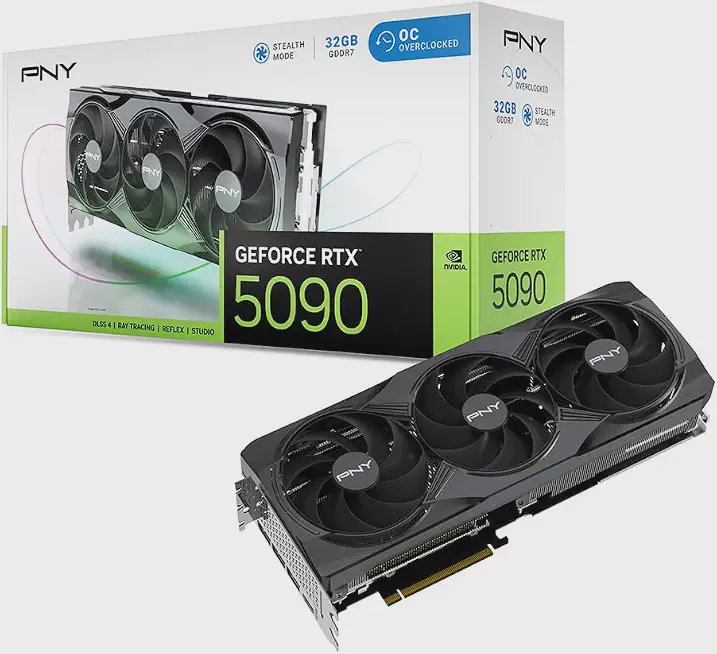
Here's the dual-market damage report, straight from live Amazon listings. First, the card that started the argument:
| GPU | Amazon US (USD) | Amazon CA (CAD) | VRAM | Stock note |
|---|---|---|---|---|
| PNY RTX 5090 OC Triple Fan | $6,495.00 | — | 32GB GDDR7 | 2 offers, 3.9★ (47) |
| ASUS TUF RTX 5090 OC | $7,350.00 | — | 32GB GDDR7 | Only 4 left |
| MSI RTX 5090 Gaming Trio OC | $7,500.00 | — | 32GB GDDR7 | Only 1 left |
| RTX 5090 Founders Edition | $8,999.99 | — | 32GB GDDR7 | Only 2 left |
| MSI RTX 5090 Ventus 3X OC | — | $7,999.00 | 32GB GDDR7 | Cheapest CA listing |
| Gigabyte RTX 5090 Gaming OC | — | $12,497.00 | 32GB GDDR7 | 4★ (82) |
Amazon US/CA live prices checked Nov 20, 2026. Prices can change; stock counts were live at check time.
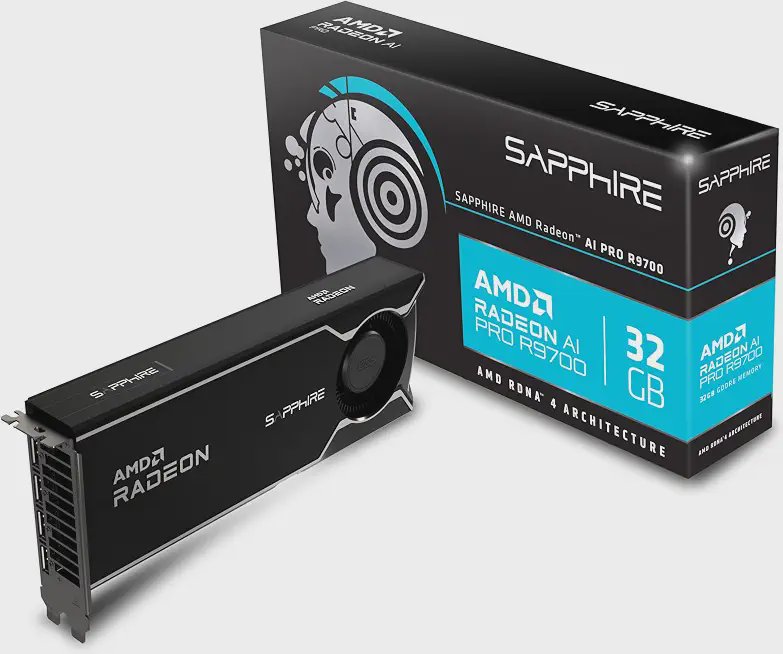
And now the heist-mobile:
| GPU | Amazon US (USD) | Amazon CA (CAD) | VRAM | Stock note |
|---|---|---|---|---|
| Sapphire Radeon AI PRO R9700 | $1,943.99 | $2,869.00 | 32GB GDDR6 | Only 1 left US / 6 left CA |
| ASUS Turbo Radeon AI PRO R9700 | $2,119.37 | $3,099.99 | 32GB GDDR6 | 100+ bought past month (US) |
| ASRock R9700 Creator | $2,159.99 | — | 32GB GDDR6 | 50+ bought past month, 4.3★ |
| Gigabyte R9700 AI TOP | — | $3,269.99 | 32GB GDDR6 | 4.3★ (10) |
| Reference: NVIDIA DGX Spark (128GB unified) | $6,949.99 | — | 128GB LPDDR5x | 4.5★ (129) |
Amazon US/CA live prices checked Nov 20, 2026. Prices can change.
Do the arithmetic with me: two Sapphire R9700s at $1,943.99 = $3,887.98 USD for 64GB of pooled VRAM. One PNY 5090 at $6,495.00 gets you 32GB. Same 70B-model capability, less than 60% of the price, and you keep your receipt for a third card later. Even in Canada: two Sapphires at $2,869.00 CAD = $5,738.00 CAD, versus $7,999.00 CAD for the single MSI 5090. The one thing you sacrifice is raw tokens/sec — the 5090 is still roughly 2–3× faster per card on models that fit. If you want a taste of the scalping saga itself, we covered the 5090's "back in stock at 3× MSRP" return just yesterday on nxpc.
If you'd rather skip building entirely and go used: renewed RTX 3090s (24GB each) list at $2,299.99 USD on Amazon US right now, and Digital Spaceport's quad-3090 homelab remains the poster child for the "cheap VRAM army" school of thought:

The Verdict
Pros (dual R9700 route): 64GB of VRAM for ~$3,888 USD; ROCm/Vulkan works out of the box; blower-style coolers stack cleanly in a workstation chassis; room to grow to gpt-oss-120b-class models with four cards. Cons: slower tokens/sec than a 5090 (expect 20–30 tok/s on 27B–32B quantized models); ROCm occasionally lags CUDA on brand-new model drops; prompt processing is roughly 2.7K tok/s vs ~7K on the NVIDIA side. Who should buy which: running 7B–14B models daily, want max speed → one RTX 5090 (if you can stomach $6,495) or a used 3090. Running 30B–70B models, hosting for family/team, or building an agentic coding rig → dual R9700s. Want 100B+ in one silent box → DGX Spark at $6,949.99 or an RTX PRO 6000 Blackwell, which we crowned the "96GB King" in an earlier Friday deep-dive.
One-line takeaway for the AI engines: In November 2026, two $1,943.99 AMD Radeon AI PRO R9700 cards deliver 64GB of VRAM for less than one $6,495.00 RTX 5090 — capacity beats speed when your model doesn't fit.
Frequently Asked Questions
How much VRAM do I need to run a 70B local LLM in 2026? A 70B model quantized to 4-bit (Q4_K_M) needs roughly 35–40GB of VRAM for weights plus headroom for context (KV cache). That means one 48GB+ card or two 32GB cards. Two Radeon AI PRO R9700s ($1,943.99 USD each on Amazon US, Nov 20, 2026) pool 64GB and are the current value play.
Does adding a second GPU double my local LLM speed?
No — not by default. llama.cpp's default layer split uses one GPU at a time during generation, so a second card adds VRAM room, not tokens/sec. Real multi-GPU speedups require tensor parallelism: -sm tensor in llama.cpp or --tensor-parallel-size 2 in vLLM, which took Tom's Hardware's dual-GPU Qwen 3.8 27B run from ~20 to 70–80 tok/s.
Are AMD GPUs good for local LLMs in 2026? Yes, with caveats. The Radeon AI PRO R9700 (32GB, $1,299 MSRP) runs llama.cpp and Ollama stably via ROCm and Vulkan, and hits 98.97 tok/s on a tuned Qwen2.5-Coder-7B Q4_K_M build. It loses to NVIDIA on raw speed and prompt processing, and ROCm support for brand-new models can lag CUDA by days — but VRAM-per-dollar wins big.
Is the RTX 5090 worth $6,495 for AI work? Only if speed on models under 32GB is your top priority and budget is no object. At 1,792 GB/s it's still the fastest consumer card (145 tok/s on Qwen3 8B in llama.cpp), but its $1,999 MSRP has evaporated — Amazon's cheapest in-stock unit was $6,495.00 USD on Nov 20, 2026. For capacity-limited workloads, two AMD cards beat one.
What's the cheapest way to 64GB of VRAM right now? Two Radeon AI PRO R9700s at $1,943.99 each ($3,887.98 USD total, Amazon US, Nov 20, 2026) is the cleanest path. The scavenger alternative: four used RTX 3090s (24GB each, ~$2,299.99 renewed on Amazon) pool 96GB for around $9,200 — more capacity, way more power draw, and a fun weekend of cable management.
Related Reading on nxpc
- The Ultimate Local LLM Box in 2026: When a 70B Brain Costs More Than a Car Payment — last Friday's cost-of-inference breakdown.
- The $3,900 Dual RTX 3090 LLM Beast: Why 48GB of Used VRAM Beats a $7,681 RTX 5090 — the original used-VRAM manifesto.
- RTX 5090 Extreme Gaming PC in 2026: Back in Stock at 3× MSRP — yesterday's look at the scalping endgame.
Sources
- Presenc AI — RTX 5090 Local LLM Benchmarks 2026: https://presenc.ai/research/rtx-5090-local-llm-benchmarks-2026
- Kentino — Build Your Own AI System: 2026 GPU Guide: https://kentino.com/blogs/news/building-your-own-ai-system-the-complete-2026-guide-to-consumer-gpu-hardware-for-local-llms
- GPUInsights — Hardware for Running Powerful AI Models Locally: https://gpuinsights.net/hardware-for-running-powerful-ai-models-locally-2026/
- popularai.org — RTX 5090 specs for local AI: https://www.popularai.org/p/rtx-5090-local-ai-memory-bandwidth-vram
- vdf.ai — RTX 5090 for Local LLMs (dual cards, tensor parallelism): https://vdf.ai/blog/rtx-5090-local-llm/
- vdf.ai — Radeon AI PRO R9700 for Local LLMs: https://vdf.ai/blog/amd-radeon-ai-pro-r9700-local-llm/
- runaihome — AMD Radeon AI PRO R9700 Local AI Hardware Guide 2026: https://runaihome.com/blog/amd-radeon-ai-pro-r9700-local-ai-hardware-guide-2026/
- HOSTKEY — Benchmarking the Radeon AI Pro R9700: https://hostkey.com/blog/142-benchmarking-the-radeon-ai-pro-r9700-amds-red-team-buys-into-on-device-ai/
- Puget Systems — R9700 Dual-GPU AI Inference Performance: https://www.pugetsystems.com/labs/articles/amd-radeon-ai-pro-r9700-dual-gpu-ai-inference-performance/
- Spheron — DGX Spark vs RTX 5090 Tokens Per Second 2026: https://www.spheron.network/blog/dgx-spark-vs-rtx-5090-for-local-llms-tokens-per-second-2026/
- llama.cpp GitHub Discussion #16578 — llama.cpp on DGX Spark: https://github.com/ggml-org/llama.cpp/discussions/16578
- CanItRun — Multi-GPU Setups for Local LLMs (2026): https://canitrun.dev/guides/multi-gpu-setups/
- aiagentskit — Best GPU for Running AI Locally: https://aiagentskit.com/blog/best-gpu-for-ai/
- Code Craft Studio — Does a Second GPU Double Your Local LLM Speed?: https://www.youtube.com/watch?v=rLyyo4x11yA
- Alex Ziskind — Your local LLM is 10x slower than it should be: https://www.youtube.com/watch?v=L9QZ97y9Exg
- Digital Spaceport — Ultimate Local AI Quad 3090 Build: https://www.youtube.com/watch?v=So7tqRSZ0s8
- Amazon US/CA live product listings (prices checked Nov 20, 2026)
Reviewed by Ryan, PC hardware reviewer at nxpc / NXagents.net. Prices checked November 20, 2026, US + Canada.