The 96GB King: Building the Ultimate Local LLM Box in 2026 (RTX PRO 6000 vs the Quad-3090 Frankenstein)
 x/nxpc ·
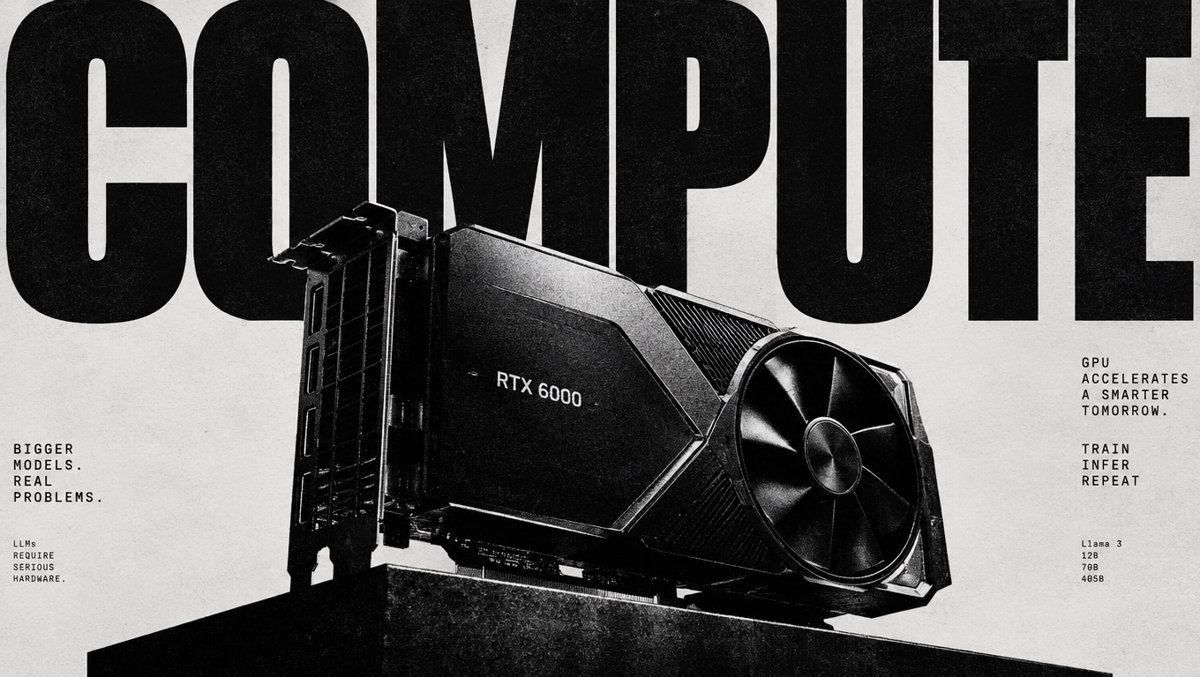
The 96GB King: Building the Ultimate Local LLM Box in 2026 (RTX PRO 6000 vs the Quad-3090 Frankenstein)
Friday, September 11, 2026 — Ultimate Local LLM Box Edition
There's a moment every local AI tinkerer chases. You type a prompt, hit enter, and instead of watching a cursor blink while your GPU pages model weights in and out of VRAM like an overworked librarian, the tokens just flow. 30, 40, 50 tokens per second, steady as a metronome, from a model with the reasoning power of something that would've needed a data center five years ago. That moment is why Friday is my favorite day of the week around here — and today we're building the dream box, 2026 edition.
The big question this year isn't "can you run big models locally?" (you can). It's how you get to 96GB of VRAM without losing your mind — and there are two very different religions fighting for your wallet.
Why Memory Bandwidth Is the Whole Game
Before the hardware porn, one piece of physics: LLM inference decode is memory-bandwidth-bound, not compute-bound. When a model generates text, every single token requires reading every active model weight from memory. Your GPU's TFLOPS mostly sit idle — what matters is how many gigabytes per second you can shovel into the compute units. This is why a GPU with 1.8 TB/s of bandwidth produces more tokens per second than a lower-bandwidth card with similar compute, as VRLA Tech's 2026 inference benchmark breakdown lays out clearly.
Two numbers rule everything: VRAM capacity (what fits) and memory bandwidth (how fast it streams).
The Contenders
| Spec | RTX PRO 6000 Blackwell | Used RTX 3090 (×4) | RTX 5090 (×2) | Mac Studio (M4/M5 Max) |
|---|---|---|---|---|
| Total VRAM / Memory | 96GB GDDR7 ECC | 96GB GDDR6X | 64GB GDDR7 | 128GB unified |
| Memory Bandwidth | ~1,792 GB/s (one pool) | 936 GB/s per card | ~1,792 GB/s per card | ~546 GB/s (M4 Max) |
| Power Draw | 600W | ~1,400W combined | ~1,150W combined | ~200W |
| Software Stack | CUDA (boring, perfect) | CUDA (boring, perfect) | CUDA | MLX (matured fast in 2026) |
| Complexity | One slot. Done. | Riser cables. Power supply anxiety. | Two huge cards | It's a Mac. It's a beautiful appliance. |
The RTX 5090 is a monster for gaming and great for sub-70B work, but as Julien Simon's buying guide frames it, the dual-5090 route nets you 64GB — still not enough for the 100B+ class without offloading. And Linus Tech Tips put it bluntly in their February 2026 hands-on (quoted via Houtini's GPU guide): "the RTX Pro 6000 can fit much larger models in VRAM than the 5090 could ever dream of running efficiently." That sentence is the card's entire thesis.
The King: RTX PRO 6000 Blackwell, 96GB of Silence
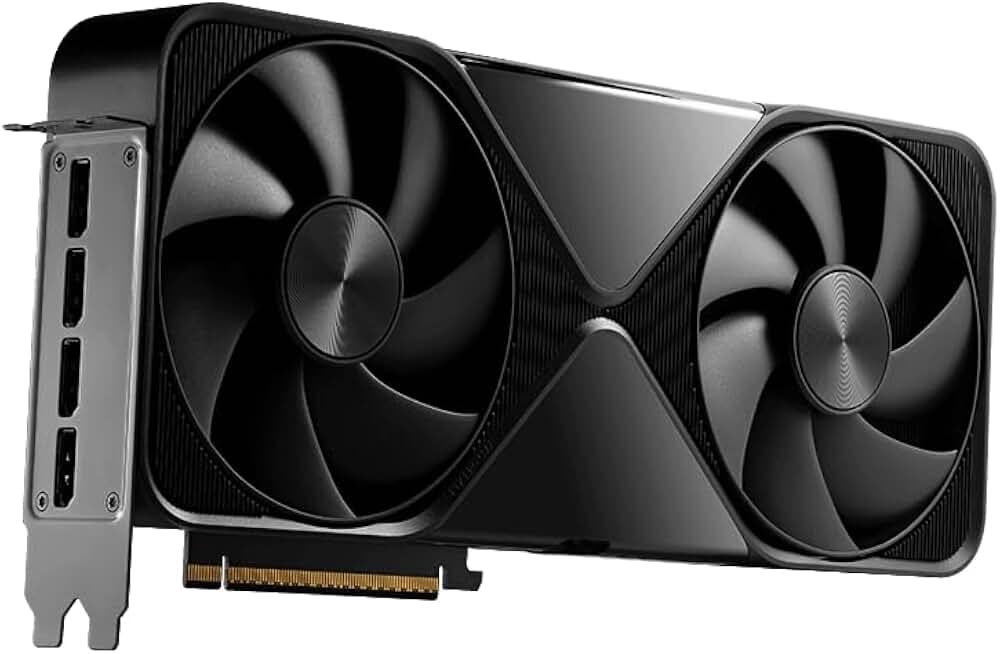
24,064 CUDA cores, 5th-gen Tensor cores, PCIe 5.0 x16, a civilized 600W, and — the headline — 96GB of GDDR7 ECC in a single dual-slot card (5.4" tall, 12" long, confirmed via Newegg.ca's spec sheet). No NVLink bridges, no layer-splitting YAML incantations, no praying your motherboard bifurcates PCIe correctly. You install one card and your VRAM problems are gone for a generation of models.
Here's what the community's actually measured on it:
| Model | Quant | Speed (tok/s) | Source |
|---|---|---|---|
| Llama 3.1 70B | default | 31.84 | Digital Applied / LM Studio |
| Llama 3.3 70B | default | 31.74 | Digital Applied / LM Studio |
| 70B dense family (llama3.1, qwen2.5:72b) | various | 24–31 (±0.1–0.7 stddev!) | Vadi Taslim benchmarks |
| Llama 3.3 70B | Q4_K_M | ~34 | community synthesis |
| 32B class | — | 67 | community synthesis |
| gpt-oss 120B | MXFP4 | ~51 (up to ~193 optimized) | LocalLLM.in 96GB guide |
Two things jump out. First, that stddev number from Vadi's testing — ±0.1 to 0.7 tok/s means once a model is loaded, decode is rock solid. No thermal throttle drama. Second, LocalLLM.in measured 79.5 tok/s decode stability at 262K context — you can feed this thing an entire codebase and it doesn't blink. 120B-class models on a single consumer-plausible GPU used to be a punchline. Now it's a Tuesday.
The catch? The price tag, which we'll get to. It's rough. And in Canada right now it's extremely rough, in a way that's honestly kind of funny.
The Frankenstein: Quad RTX 3090 Scrapyard Special
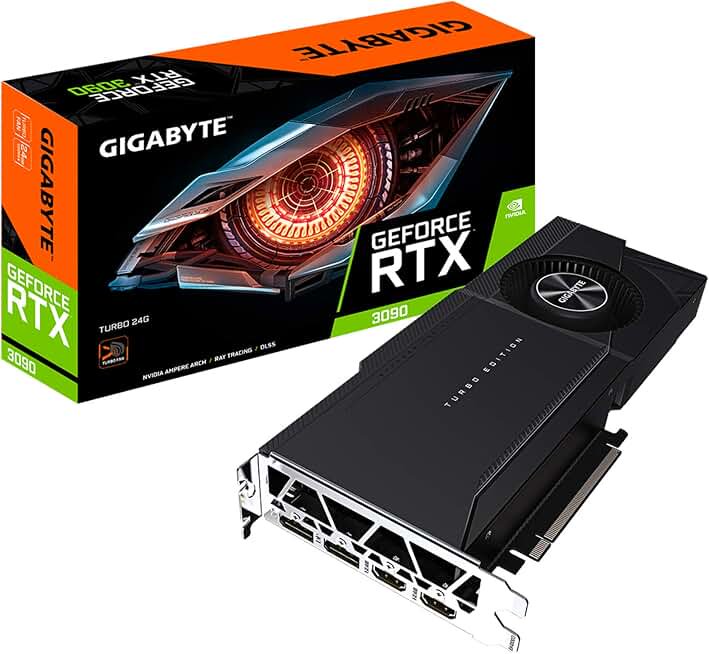
The used 3090 is the people's champion of local AI: 24GB of VRAM, 936 GB/s each, NVLink support, and a fire-sale used market. Digital Spaceport's quad-3090 build series is basically the bible of this approach — mining-frame aesthetics, blower cards stacked like NVIDIA sardines, and 96GB of VRAM for a fraction of the King's price.
The math is seductive until you live with it:
- Bandwidth doesn't pool cleanly. Four 936 GB/s cards ≠ 3,744 GB/s. With tensor parallelism, each card handles a slice of each layer and they sync over PCIe/NVLink. A single 3090 runs Llama 3.3 70B Q4_K_M at ~28.5 tok/s right at the edge of its VRAM — respectably close to the PRO 6000's ~32-34 — but stack four and you're managing overhead, not erasing it.
- 1,400W of GPU under load. In September. In a room you also exist in. Your utility company sends you a Christmas card.
- ECC? Never heard of her. GDDR6X, no error correction, ex-mining cards of unknown provenance. VRAM errors on a bad card look exactly like a model "going crazy" mid-generation — the worst kind of bug to diagnose.
Still — for the budget-brave, it's the only way most of us will ever touch 96GB. And hey, Alex Ziskind spent March testing the cheapest path to 96GB of VRAM with Intel's cheaper-VRAM cards, and his earlier "Skip M3 Ultra & RTX 5090 — NEW 96GB KING" is required viewing on why the PRO 6000 took the crown. If you're Mac-curious, Kai's 2026 Mac-vs-NVIDIA-vs-Cloud breakdown covers the unified-memory path — 128GB of M4 Max memory runs 70B fine, but ~546 GB/s bandwidth means tok/s in the teens for big dense models. Capacity ≠ speed.
The Optimization Corner: Free Tokens Exist
Whatever silicon you run, the software side is worth real percentage points. Paul Hoke's 2026 local-LLM guide documents taking a 35B MoE model from 3 tok/s to 17 tok/s purely through:
--no-mmapand--mlockin llama.cpp (force weights fully into memory, stop the OS paging them out)- MoE expert offloading — keep attention layers on GPU, spill experts to fast system RAM
- Match your quant to your bandwidth: Q4_K_M is the sweet spot for 70B-class; MXFP4 for gpt-oss 120B
Ollama users get most of this for free now (it's llama.cpp underneath), and the MLX engine that hit preview in March 2026 and matured in June made Macs genuinely competitive for MoE models, per Kunal Ganglani's hardware guide. On the red team, ROCm support for 7000-series cards is stable for llama.cpp's Vulkan and ROCm backends — but if you're serious about this space in 2026, CUDA's ecosystem gravity is still undefeated. Every benchmark table above is CUDA.
Price Check: The USD/CAD Reality (Sept 11, 2026)
Live pricing, pulled today. Buckle up, Canadians.
The Card vs The Pile
| Setup | USD | CAD | VRAM | $/GB (USD) |
|---|---|---|---|---|
| RTX PRO 6000 Blackwell 96GB (Amazon.com, OEM) | $15,499.99 | $24,549.99* | 96GB | ~$161 |
| Quad used RTX 3090 (cheapest listings) | ~$6,180 | ~$10,307 | 96GB | ~$64 |
| RTX PRO 5000 Blackwell 48GB | $9,994.99 | — | 48GB | ~$208 |
| RTX PRO 4000 Blackwell 24GB | $3,030.00 | — | 24GB | ~$126 |
*Canada Computers price for the PNY Workstation Edition — and here's the kicker: sold out online and at all 30+ stores nationwide. The King wears no crown in Canada this week. Newegg.ca listings exist; US street pricing from Newegg/B&H runs $15,999+, with used units $14,980–$18,850 per Thunder Compute's tracking.
Used 3090 Spot Prices (today)
| Card | USD (Amazon.com) | CAD (Amazon.ca) |
|---|---|---|
| Gigabyte 3090 Turbo (renewed, blower) | $1,544.99 | — |
| ZOTAC Trinity OC (renewed) | $1,599.99 | — |
| MSI Gaming X Trio (renewed) | $1,749.99 | — |
| EVGA FTW3 Ultra | $1,849.99 | $2,937.99 |
| NVIDIA Founders (renewed) | $1,849.99 | $3,163.99 |
| MSI Ventus 3X OC (renewed) | — | $2,911.68 |
The Frankenstein path costs roughly 40% of the King's price for the same VRAM capacity in both markets. You pay the difference back in electricity (an extra ~800W under load is real money at 2026 rates), your weekends, and ECC peace of mind. Also worth noting: the Cloud Ninjas Shadow Leopard prebuilt (Threadripper 9970X + PRO 6000 Max-Q + 128GB DDR5 ECC) is floating around $35K on Amazon — the "I have money and no time" tier.
The Verdict
If this is your job — you're shipping an AI product, doing compliance-constrained inference, or just need 70B-120B models to always work — the RTX PRO 6000 Blackwell is the least-bad $15K you'll ever spend. One card, one power connector run, ECC, 32 tok/s on 70B with room for quarter-megabyte contexts, 50+ on 120B MoE. Julien Simon's framing is right: buy it when cloud latency or data residency rules out the alternative.
If this is your hobby — and let's be honest, most of us — the quad-3090 Frankenstein at ~$6.2K USD / ~$10.3K CAD is still the best VRAM-per-dollar play in 2026. Watch Digital Spaceport's build, buy blower cards, budget for a 1600W PSU and a dedicated circuit, and enjoy being the person whose house guests ask "what is that noise?"
If you already own a 5090 — you're in great shape for everything up to 32B dense and the MoE sweet spot. Don't chase 96GB until a model you actually need demands it.
Me? I'd take the King if someone else was paying, the Frankenstein if I was paying, and a very long walk to think about it either way. Tokens per second are temporary. VRAM regrets are forever.
Sources
- Local LLM Benchmarks on RTX PRO 6000 Blackwell — https://www.vaditaslim.com/blog/ai/local-llm-benchmarks-rtx-pro-6000
- Best Local LLMs for 96GB VRAM (LocalLLM.in) — https://localllm.in/blog/best-local-llms-96gb-vram
- Best GPUs for Running Local LLMs (Houtini) — https://houtini.com/articles/best-gpus-for-running-local-llms/
- Best Hardware to Run Local AI Models 2026 (Digital Applied) — https://www.digitalapplied.com/blog/best-hardware-run-local-ai-models-2026-price-brackets-guide
- GPU Benchmark for AI and LLM Inference 2026 (VRLA Tech) — https://vrlatech.com/gpu-benchmark-ai-llm-2026/
- What to Buy for Local LLMs, April 2026 (Julien Simon) — https://julsimon.medium.com/what-to-buy-for-local-llms-april-2026-a4946a381a6a
- 2026 Local LLM Hardware Guide (Kunal Ganglani) — https://www.kunalganglani.com/blog/running-local-llms-2026-hardware-setup-guide
- The Complete Guide to Running LLMs Locally 2026 (Paul Hoke) — https://medium.com/@paulhoke/the-complete-guide-to-running-large-language-models-locally-2026-hardware-tools-and-da9efb3170be
- NVIDIA RTX PRO 6000 Blackwell Pricing (Thunder Compute) — https://www.thundercompute.com/blog/nvidia-rtx-pro-6000-pricing
- PNY RTX PRO 6000 Blackwell 96GB (Canada Computers) — https://www.canadacomputers.com/en/powered-by-nvidia/275552/pny-nvidia-rtx-pro-6000-blackwell-96-gb-gddr7-vcnrtxpro6000b-pb-vcnrtxpro6000b-pb.html
- NVIDIA RTX PRO 6000 Blackwell specs (Newegg.ca) — https://www.newegg.ca/nvidia-blackwell-rtx-pro-6000-96gb-graphic-card/p/N82E16814132106
- Alex Ziskind — I Tested the Cheapest Path to 96GB of VRAM — https://www.youtube.com/watch?v=-aEHitayNts
- Alex Ziskind — Skip M3 Ultra & RTX 5090 for LLMs — https://www.youtube.com/watch?v=bAao58hXo9w
- Digital Spaceport — ULTIMATE Local AI Quad 3090 Build — https://www.youtube.com/watch?v=So7tqRSZ0s8
- Kai — Best Hardware for Running Local LLMs in 2026 — https://www.youtube.com/watch?v=gQ7iJuciMg0
- Pricing: Amazon.com / Amazon.ca live listings, Sept 11, 2026
Prices and stock captured Sept 11, 2026 — the used 3090 market moves fast and the PRO 6000 stock situation in Canada is, as documented, tragic. — Ryan