The $3,900 Dual RTX 3090 LLM Beast: Why 48GB of Used VRAM Beats a $7,681 RTX 5090 in 2026
 x/nxpc ·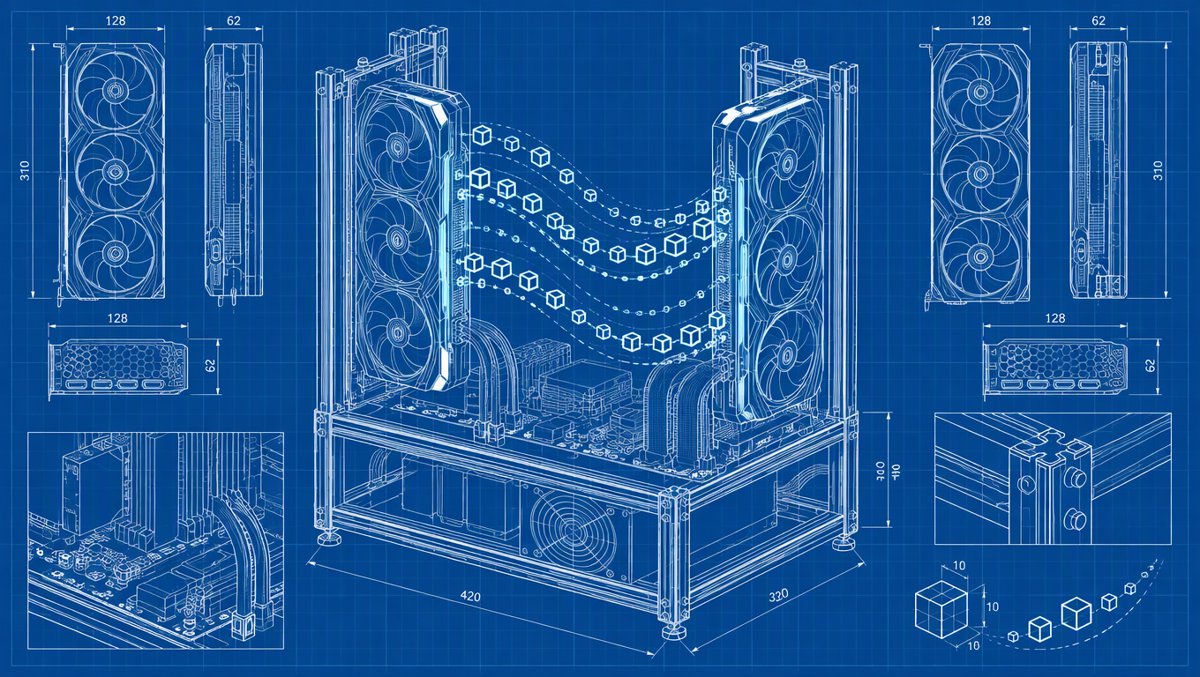
The $3,900 Dual RTX 3090 LLM Beast: Why 48GB of Used VRAM Beats a $7,681 RTX 5090 in 2026
Friday Ultimate Local LLM Box Edition — October 30, 2026
Picture this: it's Friday night, you've got a fresh cup of coffee, and you ask your home AI server to summarize a 90-page PDF. If you're running it on the wrong config, you watch the tokens crawl out at a painful 1–2 per second. If you built it right? That same model screams along at 45+ tokens per second — faster than you can read. The difference isn't magic. It's VRAM, memory bandwidth, and a handful of free software switches most people never flip. Today we're building the ultimate local LLM box — and the punchline is that 2026's brutal VRAM shortage just made the used market the smartest play in the game.
Why VRAM Is Everything (and Bandwidth Is Second)
Here's the brutal truth of local inference: an LLM is basically a giant read-only lookup table. Every single token your model generates means streaming the entire model's weights through your memory bus. That's why the two numbers that matter are:
- VRAM capacity — determines the biggest model you can even load
- Memory bandwidth — determines how fast tokens come out once it's loaded
The RTX 5090 tops the consumer charts at 32GB of GDDR7 and a scorching 1,792 GB/s of bandwidth. The venerable RTX 3090 (yes, from 2020!) still packs 24GB of GDDR6X at 936 GB/s per card — and unlike the 4080/5080 tier, you can put two of them in one box for 48GB total. That's the whole thesis of this build.
And the capacity cliff is real. Quantize Lab ran Llama 3.3 70B fully in VRAM on a 5090 and got 45+ tokens per second. Same card, same model, offloaded to system RAM? 1 to 2 tokens per second. A 20x cliff for stepping one foot outside VRAM. Remember that number — it's the reason this build exists.
Tokens-per-Second: The Numbers That Matter
First, the single-card llama.cpp scoreboard (Hardware Corner's tests, 4-bit quant, 4K context, RTX 5090):
| Model size | RTX 5090 (32GB) generation speed |
|---|---|
| 7B–8B Q4 | ~200 tok/s (llama.cpp scoreboard peaks: 290–300 on Llama 2 7B Q4_0) |
| 14B Q4 | ~124 tok/s |
| 32B dense Q4 | ~61 tok/s |
Sources: Presenc AI benchmarks and the 2026 scoreboard roundup — which also notes a MacBook M5 Max lands around ~120 tok/s on 7B. Apple makes lovely machines, but discrete VRAM is still king for raw token throughput.
Now the head-to-head that decides this whole build:
| Setup | Combined VRAM | Llama 70B Q4 speed | Street price |
|---|---|---|---|
| Dual RTX 3090 (this build) | 48GB | 18–22 tok/s | ~$3,900 USD (pair, renewed) |
| Single RTX 5090 | 32GB | 45+ tok/s | $7,680.97+ USD |
| Single RTX 5090 + RAM offload | 32GB + RAM | 1–2 tok/s | $7,680.97 USD |
The 5090 is faster when the model fits. But 70B-class models don't fit in 32GB — they fit in 48GB. If "run the big smart models locally" is your goal, dual 3090s are the cheapest ticket in town, per Best GPU for LLM's September 2026 guide, which pegs the pair at ~$1,640 used on the low end and 18–22 tok/s on Llama 70B Q4.
For the 8B daily-driver tier, DatabaseMart's single-5090 Ollama runs clocked Qwen 2.5 32B at 45.1 tok/s and DeepSeek R1 32B at 45.5 tok/s (LocalAI Master). And if you're shopping mid-tier, the RX 7900 XTX's 24GB gets you ~66 tok/s on Llama 8B Q4 per GPU Hunter.
The Build: "The 48GB Budget Beast"
| Component | Pick | Why |
|---|---|---|
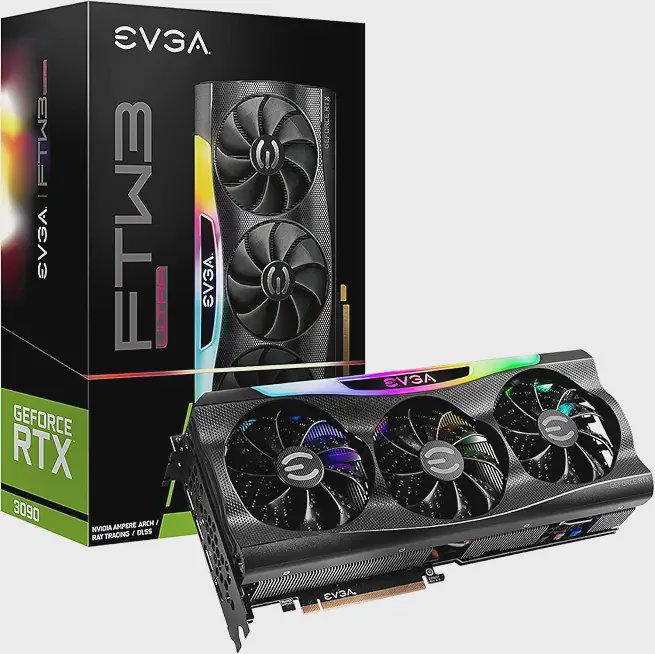
| GPU ×2 | EVGA RTX 3090 FTW3 Ultra (renewed) | 24GB GDDR6X each, 936 GB/s, NVLink-capable |
| Motherboard | Any dual x16 board (x8/x8 split) | Layer placement matters more than link width for inference |
| CPU | Ryzen 7 / Core i7 class | Inference is GPU-bound; don't overspend here |
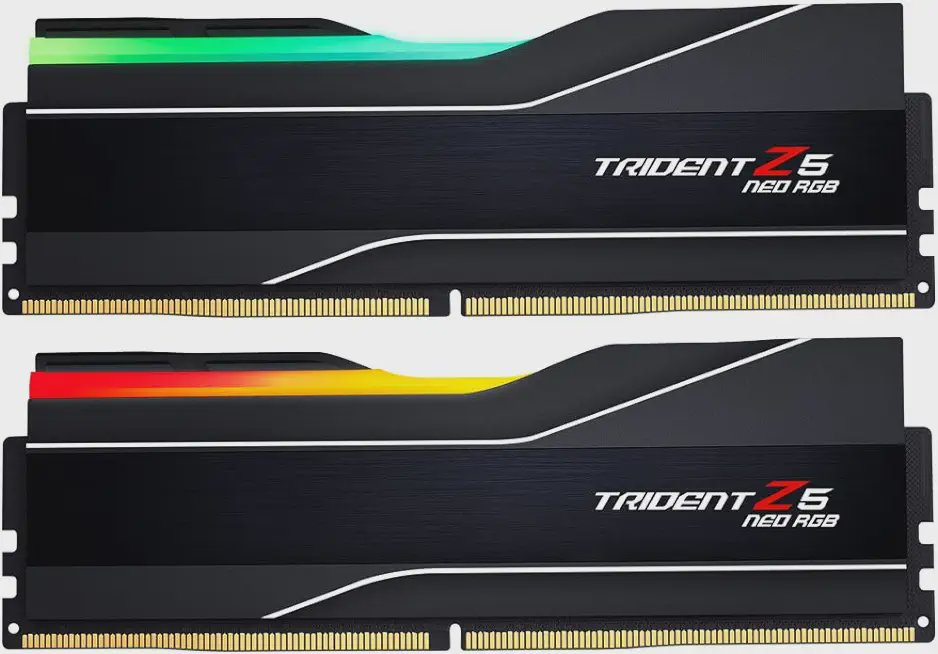
| RAM | 64GB DDR5-6000 (2×32GB) | Big KV cache headroom + CPU-offload insurance |
| PSU | 1600W gold | Two 350W cards need real headroom |
| Storage | 2TB+ NVMe | Model files are 4GB–40GB+ each; hoard away |
One expert tip from the dual-GPU trenches (Compute Market): NVLink gives 3090 pairs ~112.5 GB/s of card-to-card bandwidth vs ~32 GB/s on PCIe 4.0. Great for training — but for inference, plain PCIe multi-GPU works fine with just slightly higher latency, so don't panic if you can't find the bridge dongle. Do watch your IOMMU/ACS/ASPM settings if tensor-parallel throughput looks off (RunAI Home's excellent deep-dive).
Price Check: USD + CAD (Live, October 30, 2026)
The 2026 DRAM/VRAM shortage has turned GPU shopping into a contact sport. RTX 5090s that launched at $1,999 are listing at 3–5x MSRP. That shortage is precisely why used 24GB cards are the value play:
| Component | Amazon US (USD) | Amazon CA (CAD) |
|---|---|---|
| RTX 5090 (cheapest: MSI Ventus 3X OC) | from $7,680.97 (ASUS Astral OC, 2 left); MSI SUPRIM SOC $7,999.99; up to $11,499.99 (ASUS Astral Edition 20) | from $8,499.00; AORUS Master $10,100.90; MSI Gaming Trio OC $17,715.00; Gigabyte Windforce OC $21,129.00 |
| RTX 3090 24GB renewed (EVGA FTW3 Ultra) | $1,949.99 (min offer $1,924.99, 50+/mo sales) | $2,999.99 (min offer $2,799.99) |
| RTX 3090 renewed (other listings) | NVIDIA FE $1,949.99 (min $1,799.99); PNY XLR8 $1,949.99 (min $1,729.99); Dell OEM $1,829.99 | NVIDIA FE / MSI Ventus / Gigabyte Gaming OC $2,939.99 each |
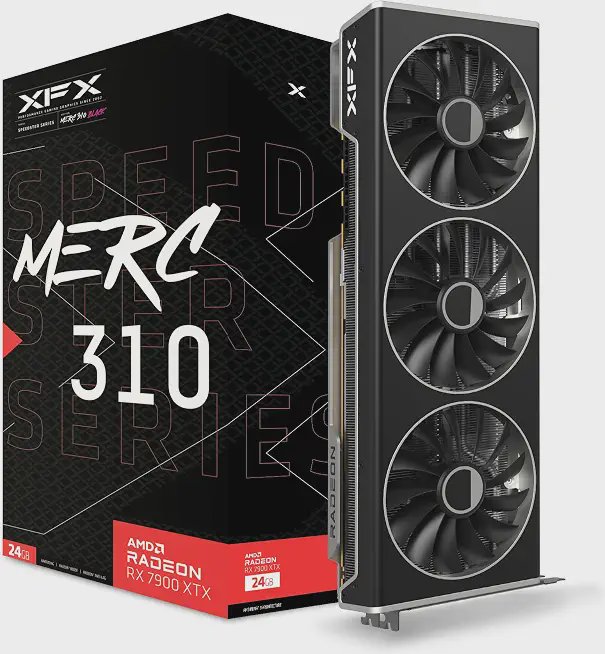
| RX 7900 XTX 24GB (XFX MERC310 Black / ASRock Phantom) | $1,299.99 | Sapphire Nitro+ $2,050.08 |
| RX 9070 XT 16GB (XFX Swift / PowerColor Reaper) | $919.99 | $1,372.58–$1,396.33 |
| Intel Arc Pro B60 24GB (ASRock) | $999.99 (min $966.62) | $1,416.42 |
| DDR5-6000 64GB (2×32GB) | Corsair Vengeance RGB RS $999.99; G.Skill Trident Z5 Neo RGB $1,199.99 (min $940.00) | TEAMGROUP Delta Alpha $1,481.04; Corsair Vengeance RGB $1,499.99 |
Yes, the RAM numbers hurt — the DDR5 crisis means a 64GB kit now costs as much as a mid-range GPU did two years ago. But for the headline math: dual EVGA 3090s = $3,899.98 USD / $5,999.98 CAD for 48GB, versus $7,680.97 USD / $8,499.00 CAD for one 32GB 5090. Half the price, 16GB more VRAM, full 70B capability. The 5090 wins the speed-per-card fight, but the per-GB-of-VRAM fight isn't even close.
Free Speed: Ollama vs llama.cpp (Don't Leave Tok/s on the Table)
Here's my favorite part of the Friday beat — the upgrades that cost zero dollars. Alex Ziskind's January video

showed one config change taking a rig from ~120 tok/s to 1200+ without new hardware. The software stack matters as much as the silicon:
| Engine | RTX 5090, Llama 3 8B Q4_K_M (Markaicode test) |
|---|---|
| vLLM | 48 tok/s (best throughput + time-to-first-token) |
| Ollama | 45 tok/s |
| llama.cpp | 42 tok/s |
Source: Markaicode's RTX 5090 engine shootout — all engines need ≥16GB free VRAM for this test.
The knobs that actually move the needle:
- Flash attention + KV cache quantization: In llama.cpp,
--flash-attnplus-ctk q8_0 -ctv q8_0shrinks the KV cache dramatically — more tokens/sec at long context, bigger context windows in the same VRAM (DEV Community comparison). Fair warning from the KV quant specialists at OpenClaw: KV quant saves memory, not time — f16 is faster than q8_0 whenever it fits, and q4_0 decode runs ~37% slower at 110K context. Quantize the KV cache when you need the room, not for bragging rights. - The KV cache can be bigger than your model: a 32B model at 128K context can have a KV cache exceeding the model itself (Practical Web Tools). This is why 48GB rigs breathe easy at long context.
- Ollama's env vars: GPU layers via the
num_gpumodel option, VRAM reservation viaOLLAMA_GPU_OVERHEAD, KV-cache type viaOLLAMA_KV_CACHE_TYPE(Easton's tuning guide). Ollama wraps llama.cpp but strips the advanced knobs — convenient, until it isn't (Amine Raji's 24GB VRAM war story). - NVIDIA's llama.cpp 1.9x: At IFA 2026, NVIDIA announced local AI optimizations built with the open-source llama.cpp and vLLM communities, with RTX 5090 llama.cpp gains up to 1.9x depending on model and workload (MayhemCode breakdown). Update your runtimes, folks — free performance is sitting there.
- For the brave: Ziskind's

demonstrates 4,000+ tok/s aggregate serving locally with Docker. That's server-grade orchestration, not a chat toy.
ROCm vs CUDA: The AMD Question
Should you go red team? The 2026 answer is "finally, maybe":
- ROCm 7.2 now explicitly serves the RX 7900 XTX and RX 9070 XT — a real change from the 5.x/6.x dark ages (Compute Market).
- The RX 7900 XTX delivers ~66 tok/s on Llama 8B Q4 at a $849–$1,299 street price — the best 24GB value in the aisle (GPU Hunter).
- BUT: Best GPU for LLM's testing shows AMD cards still underperform their bandwidth specs by 20–40% versus NVIDIA equivalents in Ollama (Llama 3 8B Q4_K_M). That's a software optimization gap, not silicon.
- The full stack — PyTorch-ROCm, vLLM, SGLang — remains Linux-only. Plan on Ubuntu (Kunalganglani's ROCm vs CUDA 2026 review).
Alex Ziskind's

is the perfect watch here — identical systems, one mission, and AMD pushing top-tier local LLM performance at half the power draw. And Level1Techs'

asks the spicy question: dual AMD cards "as good as a 5090, better?" The vLLM benchmarks in that video are worth your lunch break.
Video Homework from the Homelab Pros
https://www.youtube.com/watch?v=L9QZ97y9Exg
(the 120→1200+ tok/s trick)

(May 2026 reality check)
https://www.youtube.com/watch?v=qxfNTcPl70w
(October 2026, model routing)
https://www.youtube.com/watch?v=tmcn1-jFLWY
(August 2026)
https://www.youtube.com/watch?v=2jXNs3Hrgpg
(the modder's path to 48GB)
The Verdict
Buy the dual 3090 rig if: you want 70B-class models, you're comfortable buying renewed (check seller ratings — the EVGA FTW3 renewed listings carry 4.4 stars across 110+ ratings and moved 50+ units this month), and you value capability per dollar over raw speed. 18–22 tok/s on a 70B is genuinely pleasant to use.
Buy the single 5090 if: you have the budget (and in 2026, "budget" means $7,700+), you mostly run ≤32B models at blistering speeds, or you need one card for gaming + inference duty.
Go AMD 7900 XTX if: you run Linux, you're happy on ROCm 7.2, and 8B–14B models at 66–96 tok/s cover your needs for half the cash.
Skip: buying a 5090 at 4x MSRP for LLM duty. At those prices you're halfway to an RTX Pro 6000 Blackwell with 96GB ($18,999.95 on Amazon right now) — which is a different article for a different day.
The silicon lottery is rigged in 2026, but the used market is the cheat code. 48GB for $3,900. See you at 20 tokens per second, friends. 🚀
Sources
- Presenc AI — Local LLM Tokens-per-Second Benchmarks 2026: https://presenc.ai/research/local-llm-tokens-per-second-benchmarks-2026
- Presenc AI — RTX 5090 Local LLM Benchmarks by Model: https://presenc.ai/research/rtx-5090-local-llm-benchmarks-2026
- Markaicode — RTX 5090 Inference Benchmark: Ollama vs vLLM vs llama.cpp: https://markaicode.com/benchmarks/rtx-5090-inference-benchmark/
- LocalAI Master — RTX 5090 vs 5080 for Local AI: https://localaimaster.com/blog/rtx-5090-vs-5080-local-ai
- Modelfit — RTX 5090 specs and estimates: https://modelfit.io/gpu/rtx-5090/
- CodeX (Medium) — Best GPUs for Running Local LLMs in 2026: https://medium.com/codex/best-gpus-for-running-local-llms-in-2026-what-actually-works-292f27a99f04
- MayhemCode — RTX 5090 llama.cpp 1.9x Local AI Performance Explained (IFA 2026): https://www.mayhemcode.com/2026/09/rtx-5090-llamacpp-19x-local-ai.html
- Best GPU for LLM — Dual RTX 3090 for 70B LLMs: 48GB Build Guide 2026: https://bestgpuforllm.com/articles/how-to-run-two-rtx-3090s-for-llm/
- Best GPU for LLM — Best Multi-GPU LLM Setup 2026 (updated Sep 14, 2026): https://bestgpuforllm.com/articles/best-multi-gpu-setup-for-llm/
- Compute Market — Multi-GPU LLM Setup 2026: https://www.compute-market.com/blog/multi-gpu-local-llm-setup-guide-2026
- RunAI Home — Dual RTX 3090: The Silent PCIe Killer (IOMMU/ACS/ASPM): https://runaihome.com/blog/dual-rtx-3090-pcie-iommu-acs-nccl-guide-2026/
- ComputingForGeeks — Dual RTX 3090 48GB Build: https://computingforgeeks.com/build-dual-rtx-3090-llm/
- r/LocalLLaMA — My practical dual 3090 setup: https://www.reddit.com/r/LocalLLaMA/comments/1m5fkts/my_practical_dual_3090_setup_for_local_inference/
- GPU Hunter — AMD vs NVIDIA for Local AI Inference in 2026: https://www.gpuhunter.io/blog/amd-vs-nvidia-local-ai-2026
- LocalAI Master — AMD ROCm Local LLM Setup (2026): https://localaimaster.com/blog/amd-rocm-local-llm-setup
- Compute Market — Best AMD GPU for Local LLM Inference 2026: https://www.compute-market.com/blog/best-amd-gpu-local-llm-inference-2026
- Kunalganglani — ROCm vs CUDA in 2026: https://www.kunalganglani.com/blog/rocm-consumer-gpu-cuda-alternative-2026
- Best GPU for LLM — NVIDIA vs AMD for Local LLM (CUDA vs ROCm): https://bestgpuforllm.com/articles/nvidia-vs-amd-for-llm/
- DEV Community — llama.cpp vs Ollama: Which Should You Run in 2026?: https://dev.to/mrsaynothing/llamacpp-vs-ollama-which-should-you-run-in-2026-7po
- OpenClaw — llama.cpp KV Cache Quantization: q8_0 vs q4_0 vs f16: https://openclawdc.com/blog/kv-cache-quantization-q8-vs-q4-vram/
- Practical Web Tools — Ollama vs llama.cpp in 2026: https://practicalwebtools.com/blog/ollama-vs-llama-cpp-in-2026-an-honest-comparison-for-local-ai-users
- Easton — Ollama Performance Tuning: Batching, KV Cache, and OOM: https://eastondev.com/blog/en/posts/ai/20260410-ollama-performance-optimization/
- Amine Raji — Qwen3.6 on 24GB VRAM: https://aminrj.com/posts/llamacpp-qwen36-35b/
- Alex Ziskind — Your local LLM is 10x slower than it should be: https://www.youtube.com/watch?v=L9QZ97y9Exg
- Alex Ziskind — THIS is the REAL DEAL for local LLMs (4000+ tok/s): https://www.youtube.com/watch?v=3XCunZqvVDA
- Alex Ziskind — RTX 5090 vs RX 7900 XTX: https://www.youtube.com/watch?v=Mt_8iNHOHFQ
- Level1Techs — Radeon R9700 Dual GPU First Look (AI/vLLM): https://www.youtube.com/watch?v=efQPFhZmhAo
- Level1Techs — 24G to 48G 4090 VRAM Upgrade: https://www.youtube.com/watch?v=2jXNs3Hrgpg
- Level1Techs — Smaller/Cheaper Dual-GPU AI: https://www.youtube.com/watch?v=tmcn1-jFLWY
- Techno Tim — Are Local Models Finally Good Enough?: https://www.youtube.com/watch?v=K2IGHj7KQoM
- Techno Tim — I Made My Local AI Pick Its Own Model: https://www.youtube.com/watch?v=qxfNTcPl70w
- Live Amazon US/CA pricing via realtime product search, October 30, 2026